Teaching an Old Echo Dot New Tricks
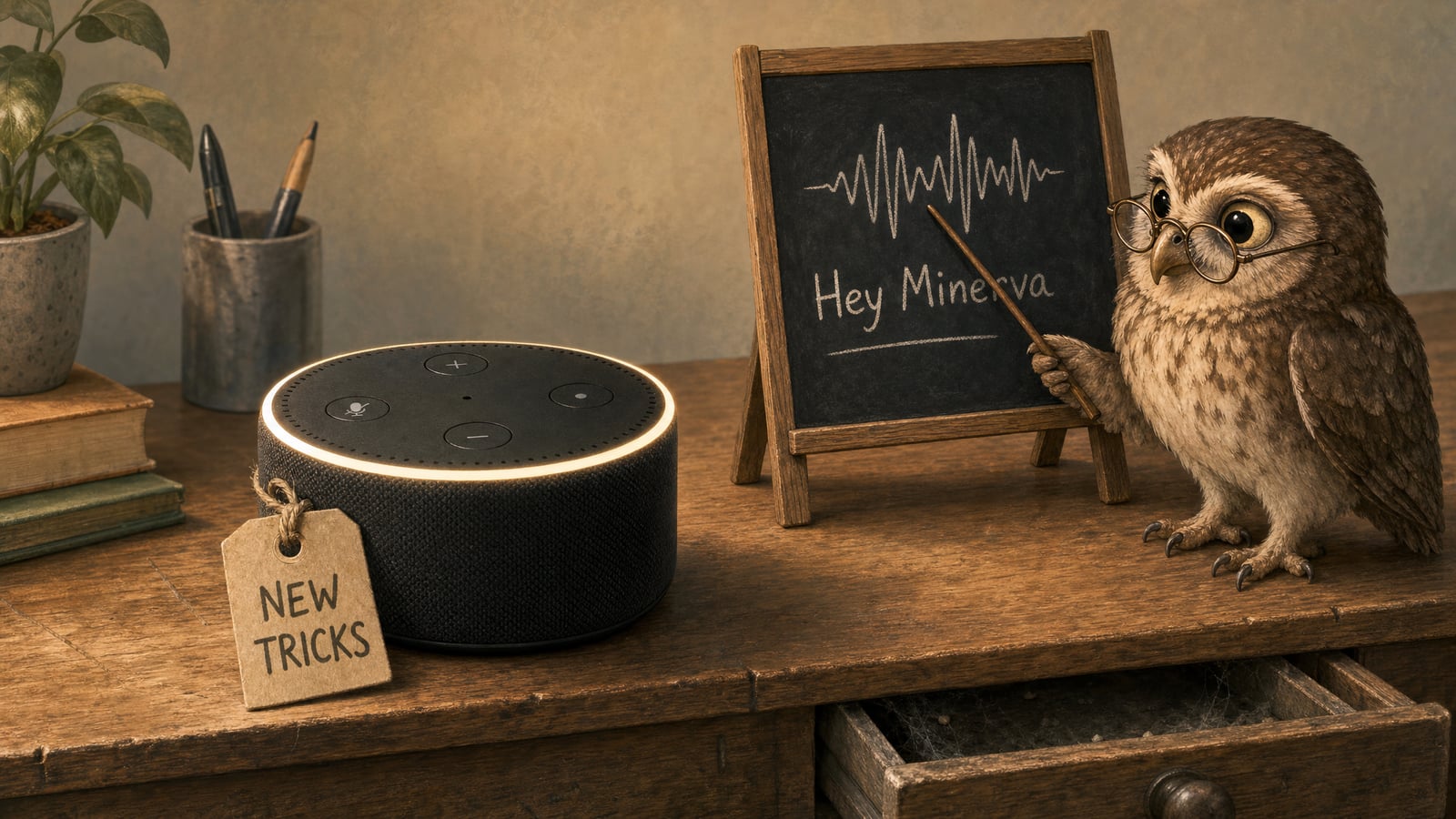
A 2016 Echo Dot that had been sitting in a drawer now answers to “Hey Minerva” and talks to my own AI agent instead of Amazon. No Alexa, no Amazon account, nothing leaving the house that I did not choose to send. This is how a Sunday afternoon turned into that, including the parts that went wrong.
The Dot is a lovely bit of hardware: seven microphones, a decent speaker, an LED ring, and it costs about a tenner second-hand. The software was the problem. A project called EchoMuse replaces it entirely, and once the Dot is running open firmware it is just a voice satellite you can point at whatever assistant you like. Mine is Minerva, an OpenClaw agent running on a Linux box in the house. She has written the post you are reading, from my notes, which feels like the right way to close the loop.
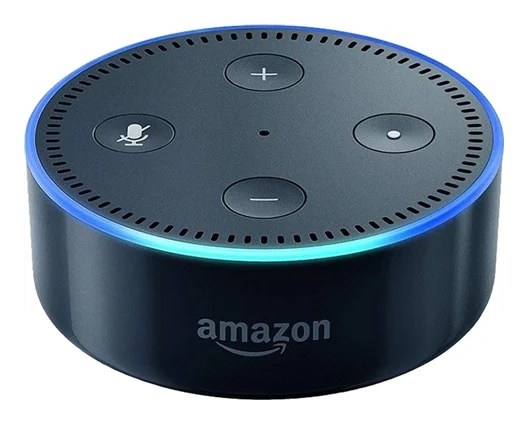
Here is the detail that matters most, though. I did not do the work. Claude Code did. I plugged in the Dot, held buttons when told to, installed one driver, and downloaded two files that needed a forum login. Everything else was an AI agent driving my PC while I watched: finding the project, discovering that the unlock now runs from Windows, flashing the firmware twice to dodge a known boot loop, diagnosing why the first wake-word model was deaf to me, and training three rounds until it was not. Then Minerva, a different agent, took the notes and published this. One agent did the engineering and another wrote it up. That is the beauty of all of this.
What EchoMuse is
EchoMuse is open-source firmware and a controller for the Echo Dot 2nd generation. The Dot runs a small Linux build called emOS with all seven microphones, the speaker, the ring and the buttons working. A controller on your network, which runs as a Home Assistant add-on or a Docker container, presents each Dot to Home Assistant as a native ESPHome voice satellite. Home Assistant’s Assist pipeline then does speech-to-text, the thinking, and text-to-speech.
The design choice I like most is that the Dot is deliberately dumb. It captures audio as cleanly as it can and streams it out. Wake-word detection, deciding when you have finished speaking, and everything clever lives on the controller and in Home Assistant, where it can be updated and tuned without touching the hardware. Nothing leaves the Dot until it hears the wake word, and then only until you stop talking.
What it is not: Alexa. No skills, no shopping, no drop-in. What it does is whatever your Home Assistant can do, and since Home Assistant lets you swap the conversation agent, that turned out to be the hook for Minerva.
Unlocking it from Windows
Every guide, EchoMuse’s included, says the unlock needs Linux. That was true until amonet-biscuit v2.0.0 arrived in September 2026, and it is not true any more. The current release ships a Windows batch file, and the XDA thread now lists Windows or Linux for the normal route. The old Linux-only path was a bootrom exploit over a MediaTek serial port, which Windows drivers mangled. The new one is a fastboot exploit, and fastboot works fine on Windows.
What the Windows path actually needs:
- Android platform tools for adb and fastboot. One winget command.
- A driver for the Dot in fastboot mode. Google’s USB driver works, but its INF file does not list the Dot’s hardware ID, so you install it through Device Manager’s “Let me pick from a list” route and accept the compatibility warning. Pointing Device Manager at the folder fails with “could not find drivers”.
- The Dot on current Fire OS. The exploit refuses older bootloaders, and the Windows script’s retry loop hides that refusal by sitting at “Sending payload…” forever.
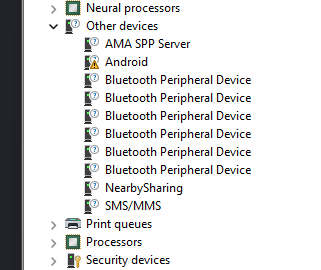
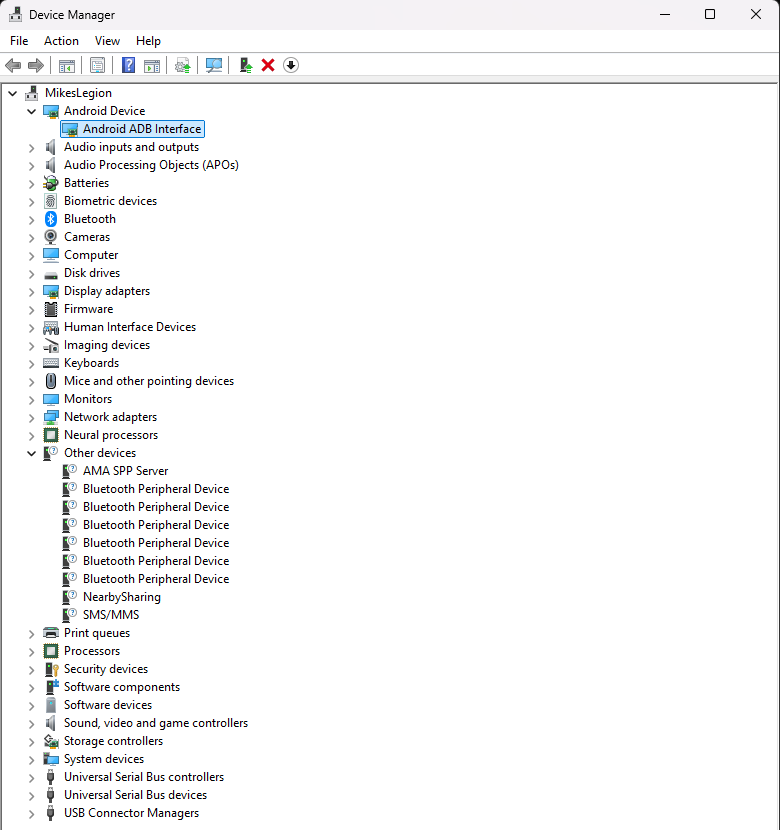
Then you hold the action button while plugging in, wait for the ring, run the script, and type YES. Mine showed a blue ring where the guide said green, which worried me until a USB probe confirmed the fastboot interface was there. A minute later the ring went white: TWRP recovery, unlocked.
The one real danger is interrupting it after the ten-second grace period. The preloader counts failed boots per slot, and running both slots out leaves a Dot that only recovers by opening the case and shorting a test point.
Fire OS 6, twice
The Dot has two system slots, A and B, like a phone. Mine arrived in TWRP with Fire OS 6.5.6.1 in both, plus a stale Amazon update from 2022 still queued in its cache. TWRP tried to install that update on first boot, failed its device check, and flashed the ring red. That was the one moment of genuine alarm in the whole afternoon, and it turned out to be the best possible outcome: a stock update must not install now.
The guide says to flash the latest Fire OS 6 to both slots, and gives a sequence that manually switches the active slot between installs. Another EchoMuse user had reported that exact sequence putting their Dot into a boot loop, because the manual switch fought the update engine’s own slot switch. So I did it the way TWRP itself suggests: install once, reboot into recovery, install again. The first went to slot B and switched to it; the second went to slot A and switched back. Both slots ended on Fire OS 6574.1 with identical kernels.
Why both slots matter, and this is the part no guide mentions: on this unlock the bootloader always boots the kernel in slot A. The slot setting only tells the kernel which system partition to mount. A new system in B with an old kernel in A is exactly the mismatch that boot loops. EchoMuse’s own notes found this the hard way, and its installer now always writes emOS to slot A and keeps stock Fire OS in B as the undo.
The EchoMuse wizard
Everything after the unlock is a browser wizard in the EchoMuse dashboard, talking to the Dot over WebUSB. Nine steps, all inside TWRP. It escrows your boot partition and hands you the file, builds an emOS image from your own kernel, writes it to slot A, and configures WiFi. Keep that escrowed boot image. Writing it back takes ten seconds and undoes everything.
Three things got in the way before the wizard would run.
Docker Desktop on Windows cannot host the controller. The controller needs host networking so the Dots can find it over mDNS. On Docker Desktop a host-mode container lands inside the WSL virtual machine’s private network, not your WiFi LAN. A quick test confirmed it: the container saw 192.168.65.x addresses and nothing else. The Home Assistant add-on was the answer, since my Home Assistant box already sits on the LAN.
WebUSB wants a secure page. Chrome only allows WebUSB on a trusted HTTPS origin. My Home Assistant has a proper Let’s Encrypt certificate, but for a DuckDNS name my router will not loop back to from inside the LAN, so by IP address the certificate did not match. A one-line hosts-file entry pointing the DuckDNS name at the LAN address fixed it.
adb and Chrome fight over the Dot. The wizard’s first step kept failing with “the device is already in use by another program”. That program was the adb server I had been using to flash Fire OS. One adb kill-server and Chrome could claim the device.
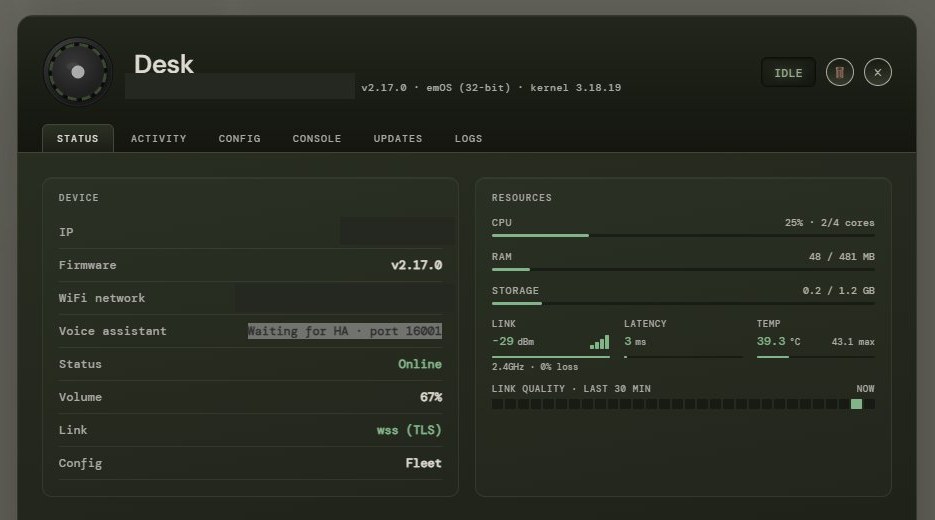
After that the wizard ran clean. The Dot rebooted into emOS, joined the WiFi, found the controller by itself, and showed up in the dashboard as “Desk”: online, 48 MB of RAM used out of 481, link encrypted, waiting for Home Assistant on port 16001. Adding it in Home Assistant was one ESPHome integration entry pointing at the controller’s address and that port.
Wiring it to Minerva
The neat part is that connecting OpenClaw needed no changes to EchoMuse at all. Home Assistant’s Assist pipeline has a pluggable conversation agent slot, and that slot is where Minerva goes. Audio flows Dot, controller, Home Assistant speech-to-text, OpenClaw, Home Assistant text-to-speech, back to the Dot’s speaker.
ddrayne’s OpenClaw Voice Assistant integration does the bridging. It installs through HACS, connects to the OpenClaw gateway over WebSocket on port 18789 with the gateway token, and registers as a conversation agent you pick in the pipeline settings. The gateway was already bound to the LAN with token auth, so nothing on Minerva’s box changed. Home Assistant appeared as a pending device on the gateway and one openclaw devices approve made it permanent.
Two settings matter for a Dot talking to an agent rather than a rule-based assistant:
- Speak while the reply is written, in the EchoMuse playback config. OpenClaw replies take 5 to 30 seconds. With this on, the Dot starts speaking at the first sentence instead of waiting for the whole answer.
- Background work, on by default in the integration. A request that runs long gets an “on it, I’ll let you know” and the result is announced on the Dot when it is ready, using the same announcement path EchoMuse already implements.
The first exchange worked. Then the problems moved to a place I had not expected.
Speech-to-text is the weak link
Minerva answered, but what she was answering was often not what I said. The pipeline was already on Home Assistant Cloud’s British English recogniser, which is one of the better options, so the recogniser alone was not the whole story. The honest fix is to listen to what the Dot actually sent. EchoMuse has a “Save utterances” switch that keeps the exact audio speech-to-text received, playable from the Activity tab, and that is the first thing to turn on before touching any other setting.
If you want a better recogniser than the one you have, the key-based engines now plug straight into the pipeline dropdown. The official Home Assistant OpenAI integration offers both speech-to-text and text-to-speech sub-entries, and its speech-to-text has an instructions field where you tell it things like “British English, smart home commands, room names: lounge, kitchen, office”, which helps a lot on the words you actually use. The official ElevenLabs integration does speech-to-text via Scribe and has the most natural voices for the reply.
One thing worth knowing if you assume the model vendor can do everything: Anthropic’s API has no audio in or out. Claude takes text, images and PDFs and returns text. So Claude can be the brain, through OpenClaw, but something else has to be the ears and the voice. That is true of the whole stack: the brain is the easy swap, the ears are where the work is.
Training “Hey Minerva”
The stock wake words are Hey Jarvis, Alexa, Hey Mycroft and Hey Rhasspy. I wanted the Dot to answer to Minerva’s name, which means training a custom openWakeWord model. EchoMuse ships a trainer for exactly this, a Docker container with a web UI that synthesises tens of thousands of examples of your phrase in hundreds of voices, mixes in room reverb and background noise, and trains a small classifier against 2,000 hours of non-wake-word audio. The output is a 206 KB ONNX file you upload in the dashboard. On an RTX 5080 laptop the training step takes about 15 minutes; the one-off 25 GB asset download took longer.
It took three rounds.
| Round | What changed | Synthetic recall | False alarms per hour | My own clips above 0.5 |
|---|---|---|---|---|
| 1 | 30,000 synthetic clips, 4,000 British voices, 16 phone recordings | 0.33 | 0.18 | 0 of 25 |
| 2 | Phone clips trimmed and weighted, 9 recordings via the Dot’s own mics, a paused “hey, minerva” variant | 0.32 | 0.0 | 7 of 25 |
| 3 | Same data, training rebalanced toward recall | 0.53 | 2.9 | 14 of 25 |
Round one was deaf to me. It scored 0.95 on a synthetic voice and 0.001 on every recording of mine, including ones it had trained on. Three reasons. My phone clips were 25 dB quieter than the synthetic ones. They were 2 to 4 seconds long with the phrase in the middle, and the trainer crops everything to a 2-second window at a random offset, so most of them became silence labelled as a wake word. And 15 real clips among 30,000 carry no weight at all.
Round two fixed the data. Trimmed, normalised, duplicated 25 times so the real clips mattered, plus nine recordings captured through the Dot itself by pressing its action button with Save utterances on. That is the exact microphone and gain the model hears in use, and it showed: two of the three clips it had never heard scored 0.77 and 0.81. I also guessed my habit of pausing between “Hey” and “Minerva” was the problem and added a comma variant. The data later showed the pause was not the dividing line at all.
Round three fixed the recipe. The trainer had pushed so hard toward zero false alarms that it threw away recall, reaching 0.0 per hour against a target of 0.2. Relaxing that target, capping how far negatives could be upweighted, and doubling the training steps doubled the hits on my voice. The hits are now 0.97 to 0.997, so the detection threshold can be raised to buy back the false-alarm margin. The 2.9 per hour figure is against continuous speech, music and noise; against 40 sound-alike phrases both rounds stayed at 0.005.
The lesson is the one from the speech-to-text section again. Synthetic data gets you a model that understands synthetic voices. Twenty-odd recordings of the people who will actually use it, through the actual microphone, were worth more than everything else combined.
What’s next
The wake word improves on its own from here. EchoMuse can save a clip every time the Dot wakes or nearly wakes, and labelling those in the Activity tab over a few days builds a set of real positives and real negatives from the exact microphone. A fourth training round on that set should close the gap on the deliveries it still misses.
There is also a genuinely nameless option. The Home Assistant community collection has about 110 openWakeWord models under an MIT licence, including “computer”, “ok computer”, “hey house” and “hey honey”. They were all trained the way my round one was, on synthetic voices only, so I would score any candidate against recordings of my own voice before installing it rather than finding out by shouting at the Dot.
The bigger idea is cutting Home Assistant out of the middle and having the Dot talk to the OpenClaw gateway directly. Nothing exists for that yet. EchoMuse’s device-to-controller protocol is fully documented, a plain WebSocket carrying 16 kHz PCM, so a thin controller that pipes that into a wake-word model, a speech recogniser and OpenClaw’s OpenAI-compatible endpoint is a weekend project rather than a research one. That is probably the next post.
What I would tell someone starting this today:
- Ignore the Linux requirement if you are on Windows. The v2 unlock runs from a batch file.
- Flash Fire OS 6 to both slots, once each, with a reboot into recovery between. Do not switch slots by hand.
- Keep the escrowed boot image. It is the undo for everything.
- Turn on Save utterances before you judge the speech-to-text.
- Record your wake word through the Dot, not your phone, and expect to train more than once.